Installing TensorFlow on Windows
Machine requirements are 64-bit, x86 desktops or laptops, and Windows 7 or later.
Choose CPU/GPU version TensorFlow to install
Choose one type of TensorFlow to install:
- TensorFlow with CPU support only. If the system does not have a NVIDIA GPU, must install this version. Prebuilt binaries will use AVX instructions.
- TensorFlow with GPU support. TensorFlow programs typically run significantly faster on a GPU than on a CPU. If the system has a NVIDIA GPU meeting the prerequistites shown below, this version run performance-critical applications is better.
Requirements to run TensorFlow with GPU support
If installing TensorFlow with GPU support, then the following NVIDIA software must be installed on the system:
- CUDA(R) Toolkit 9.0. For details, see NVIDIA's documentation to ensure the Cuda pathnames is appended to the
%PATH%environment variable as described in the NVIDIA documentation. - The NVIDIA drivers associated with CUDA Toolkit 9.0.
- cuDNN v7.0. For details, see NVIDIA's documentation. cuDNN is typically installed in a different location from the other CUDA DLLs. Ensure the cuDNN DLL directory path is added to the
%PATH%environment variable. - GPU card with CUDA Compute Capability 3.0 or higher for building from source, and 3.5 or higher for TensorFlow binaries. See NVIDIA documentation for a list of supported GPU cards.
If the preceding packages version are different from this document, change to the specified versions. In particular, the cuDNN version must match exactly: TensorFlow will not load if it cannot find cuDNN64_7.dll . To use a different version of cuDNN must have to build from source.
Install TensorFlow by Anaconda
In Anaconda, use the conda command to create a virtual environment. Within Anaconda, installing TensorFlow with the pip install command, not with the conda install command.
NOTE: The conda package is community supported, not officially supported. TensorFlow team neither tests nor maintains the conda package.
Take the following steps to install TensorFlow in an Anaconda environment:
- Follow the instructions on the Anaconda download site to download and install Anaconda.
Create a conda environment named
tensorflow(an arbitrary name) by using the following command:conda create -n tensorflow pip python=3.6
Activate the conda environment by typing the following command:
activate tensorflow
Type the appropriate command to install TensorFlow inside the conda environment. To install the CPU-only version of TensorFlow, type the following command:
pip install --ignore-installed --upgrade tensorflow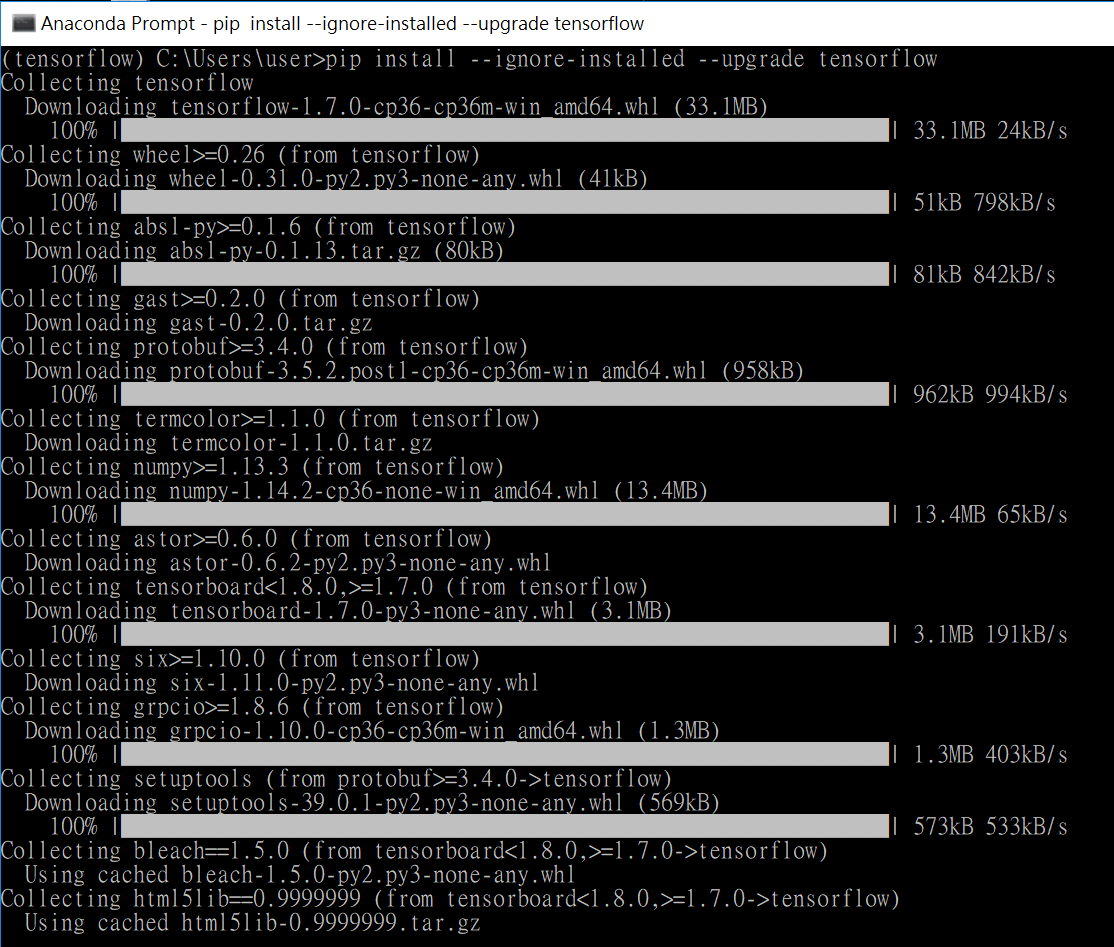 To install the GPU version of TensorFlow, type the following command:
pip install --ignore-installed --upgrade tensorflow-gpu
Validate TensorFlow installation
Start a terminal (install TensorFlow by windows command line) or a Anaconda Prompt (install TensorFlow by Anaconda).
If TensorFlow installed through Anaconda, activate Anaconda environment which created in previous part step 3.
activate tensorflow
Type python from the shell as follows: Type the following program inside the python interactive shell:
import tensorflow as tf
hello = tf.constant('Hello, TensorFlow!')
sess = tf.Session()
print(sess.run(hello))
 If the system outputs the following, means TensorFlow is successfully installed.